


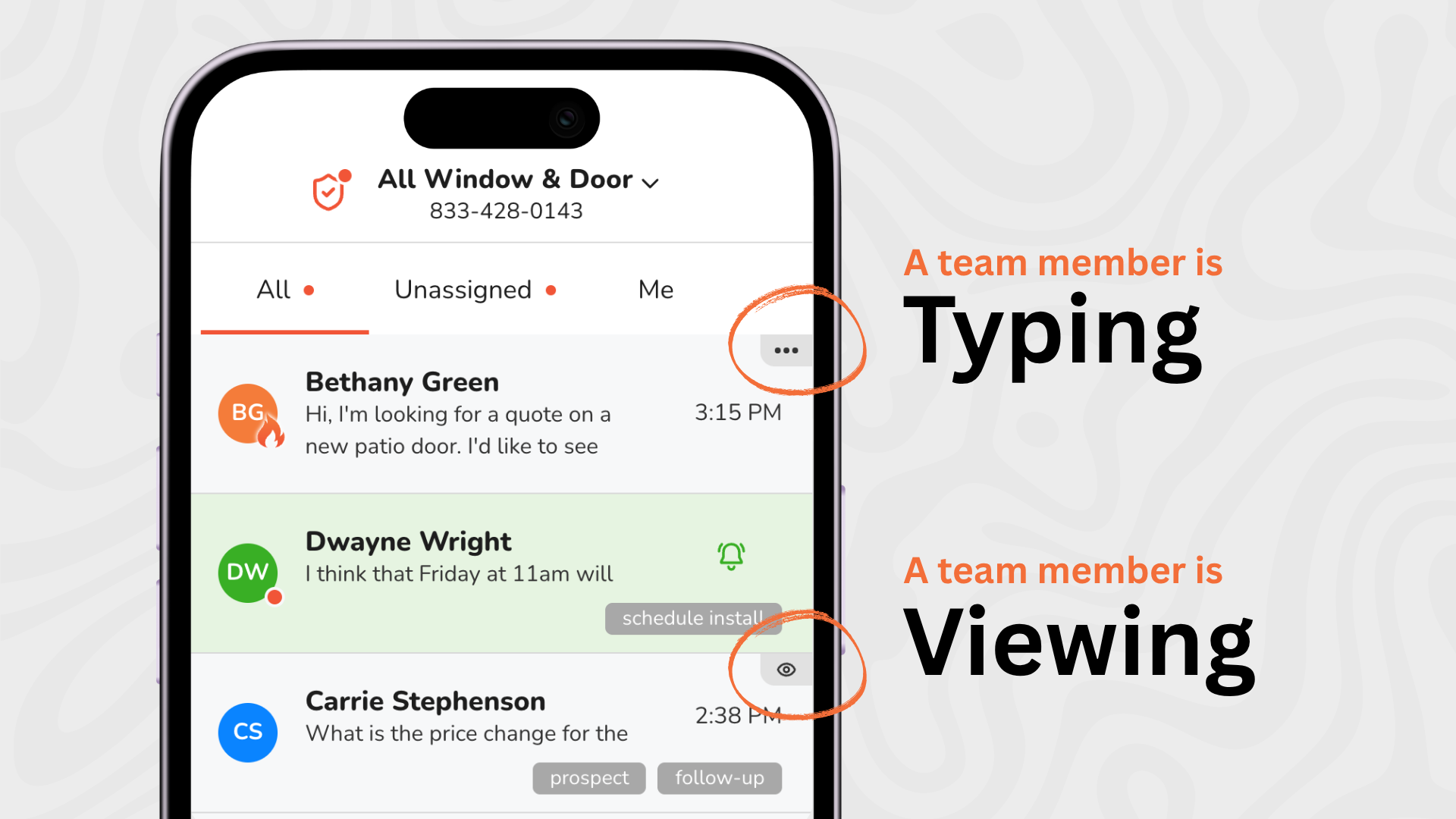
A new lead hits your Leadferno Inbox. The lead notifications send and two people on your team see it at the same moment, both jump in, and the prospect gets two replies within seconds of each other. Or worse: everyone assumes someone else has it, and nobody replies at all.
Our latest feature, called Indicators, fixes both problems. Now you can see, at a glance, when a teammate is viewing a thread or typing a reply, so your team can coordinate without a single Slack message, note, or shouting across the office “I’ve got this one!”
Indicators are real-time presence cues inside your Leadferno inbox. They show two things about your teammates:
If you’ve used a modern chat tool, you already know the pattern: the animated three dots or the “Mike is typing…” label that tells you someone else is about to send. Indicators brings that same cue to your team’s shared text inbox, where it matters most.
Multiple people share one phone number and one conversation with a lead, so knowing who’s already on it is the difference between a smooth handoff and a pileup.
Indicators show up in two places, and both work automatically. There’s nothing to turn on and nothing for your team to remember to do.
Scan your conversation list and you’ll see a small icon in the upper right corner of any thread preview where a teammate is active:
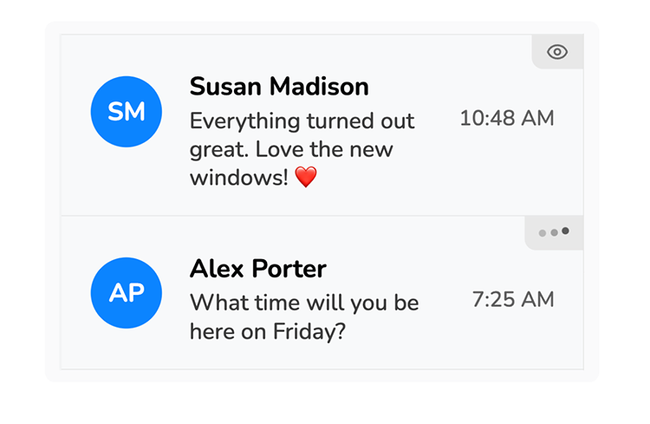
That’s your first-level signal. Before you ever open a thread, you know whether someone else is already there. A quick cue on what conversations your teammates are in or working on.
Open a thread and the icon becomes a name. You’ll see exactly who is viewing or typing:
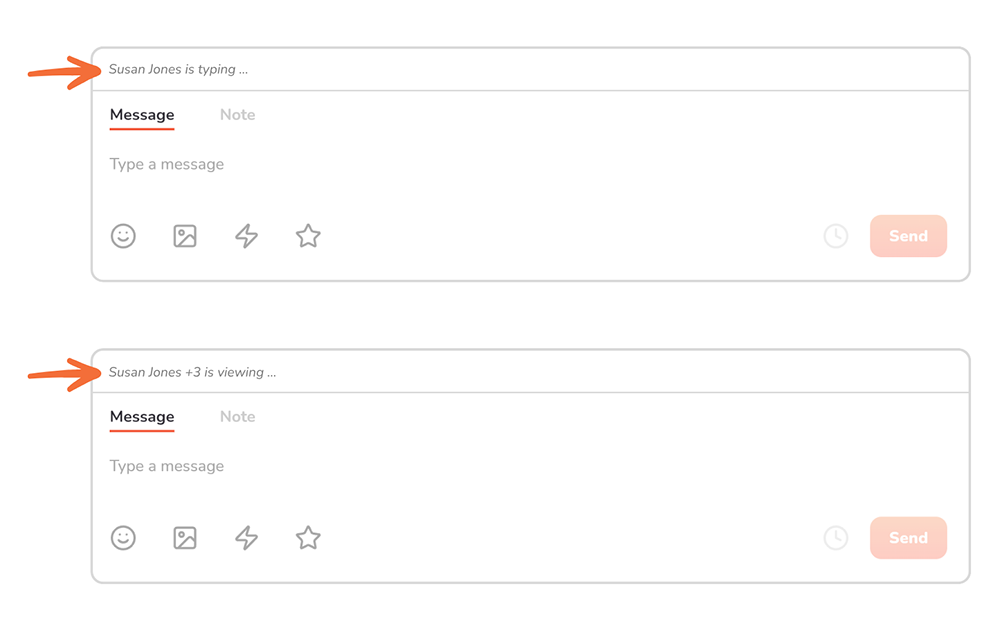
The indicators are located just above the message composer. They update live as teammates open, type, and leave, so what you see always reflects what’s happening right now.
No more reply collisions. When you can see a teammate is typing, you wait. Your prospect gets one clear, coordinated response instead of two overlapping ones that say slightly different things.
New leads get claimed, not dropped. A new lead lands in the inbox and the whole team sees the eye icon appear. Everyone knows it’s being handled, so nobody else has to stop what they’re doing to check. Just as important, if no indicator appears, that’s a clear signal the lead is still waiting for someone.
Less back-channel chatter. “Are you on the Henderson thread?” “I’ve got the new lead from the website.” Those messages disappear when the inbox itself answers the question.
A more professional experience for your customers. Duplicate replies, contradictory answers, and awkward “sorry, two of us responded” follow-ups make a business look disorganized. Indicators keeps your team in sync so every conversation reads like it’s coming from one coordinated business, not a scramble.
It works the way your team already works. There’s no new process to adopt, no assignment step, and no setup. Indicators simply makes visible what was already happening behind the scenes.
Indicators are strictly for you and your team. Your prospects and customers never see them. They won’t know how many people viewed their message, and they won’t see a typing indicator while you draft a reply.
It works the other way too: Indicators don’t show you when a customer is reading or typing. They’re a tool for team coordination, not a window into what the person on the other end is doing. Your customer’s experience of texting your business stays exactly the same.
Indicators are live in Leadferno today for every team account, with nothing to enable. The next time a lead texts in, take a look at your inbox and watch your team’s presence show up in real time.

Get our monthly update covering SMS, messaging, and Leadferno features.
