


Every business inbox has the same quiet problem. A lead asks for a quote and you reply right away. A customer says Friday might work and they’ll confirm. A homeowner asks what time you’ll arrive. Then the week happens. New messages push older ones down, the thread scrolls out of view, and the only way to find it again is to remember it exists.
Nobody decides to ignore these conversations. They just go quiet, and fall from your attention. The lead who never got a second reply doesn’t send a complaint; they book with someone else.
The customer waiting on an answer doesn’t follow up; they stop recommending you. It’s a slow leak of opportunities and trust, and it’s silently losing you money and reputation.

Leadferno has always had Reminders for exactly this. Set a timeframe or a specific time on a thread and it pops back to the top of your list when it’s due. Reminders are great when you know a conversation needs a follow-up, and they aren’t going anywhere.
But they only work for the threads you remember to set them on. The ones that leak are the ones you didn’t flag, because at the time they didn’t look like they needed it. What’s needed is a safety net that doesn’t depend on you setting it.
Ember watches your open conversations for you. When a thread has had no activity for a set number of days, Ember marks it as an ember: not out, still warm, just waiting on someone to pick it back up. Then it puts those threads in front of you so you can act on them.
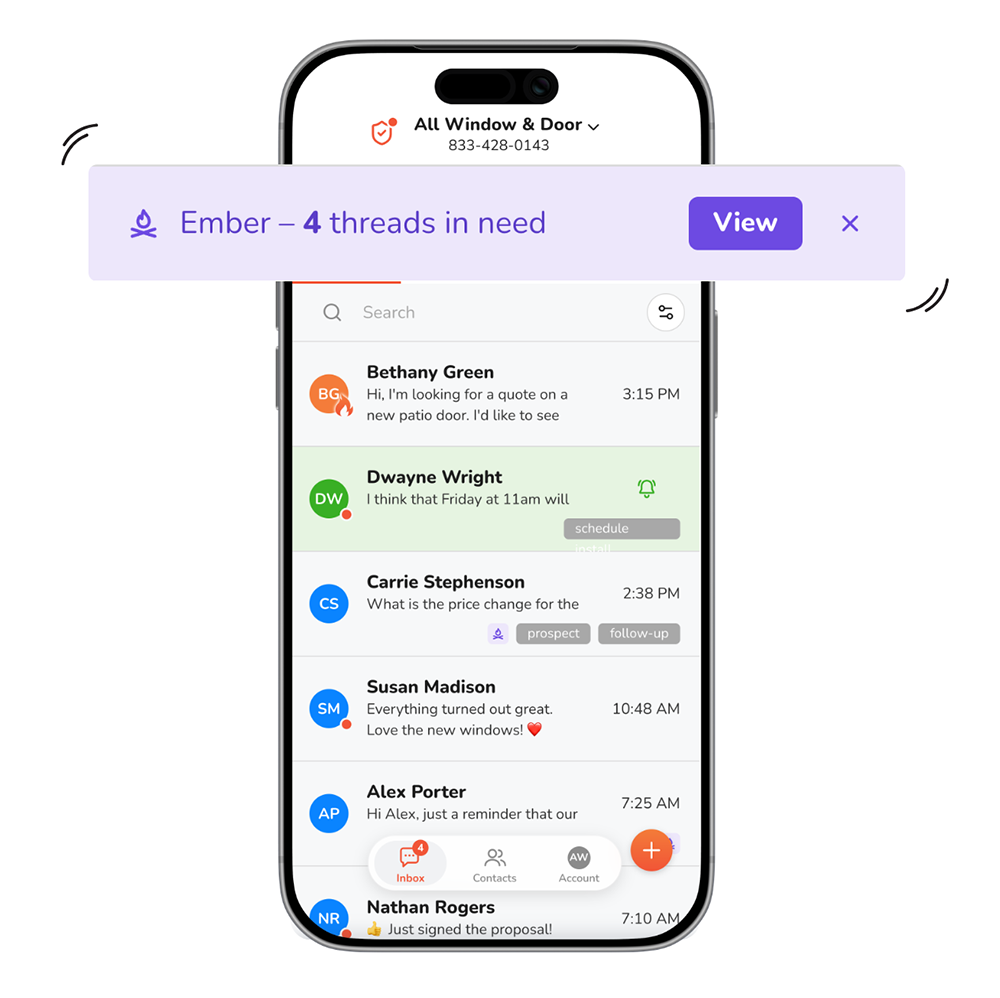
The idea is simple. A conversation that’s gone quiet isn’t a failure, it’s a thread that needs a nudge. Ember turns the whole inbox-scrolling ritual into a short daily list with a clear ask: reply, reassign, or close.
And unlike a reminder, there’s nothing to set up. Ember runs on every open conversation, automatically, so the thread you forgot to flag is covered too. Keep using Reminders for the follow-ups you plan; Ember catches the ones you didn’t.
A few principles shaped how we built it:
Here’s what that looks like in Leadferno.
At the start of everyday, roughly 7:00am in your Profile’s timezone, Ember tells you exactly how many conversations have gone quiet. It’s a purple notification bar at the top of your inbox with the count and a View button.
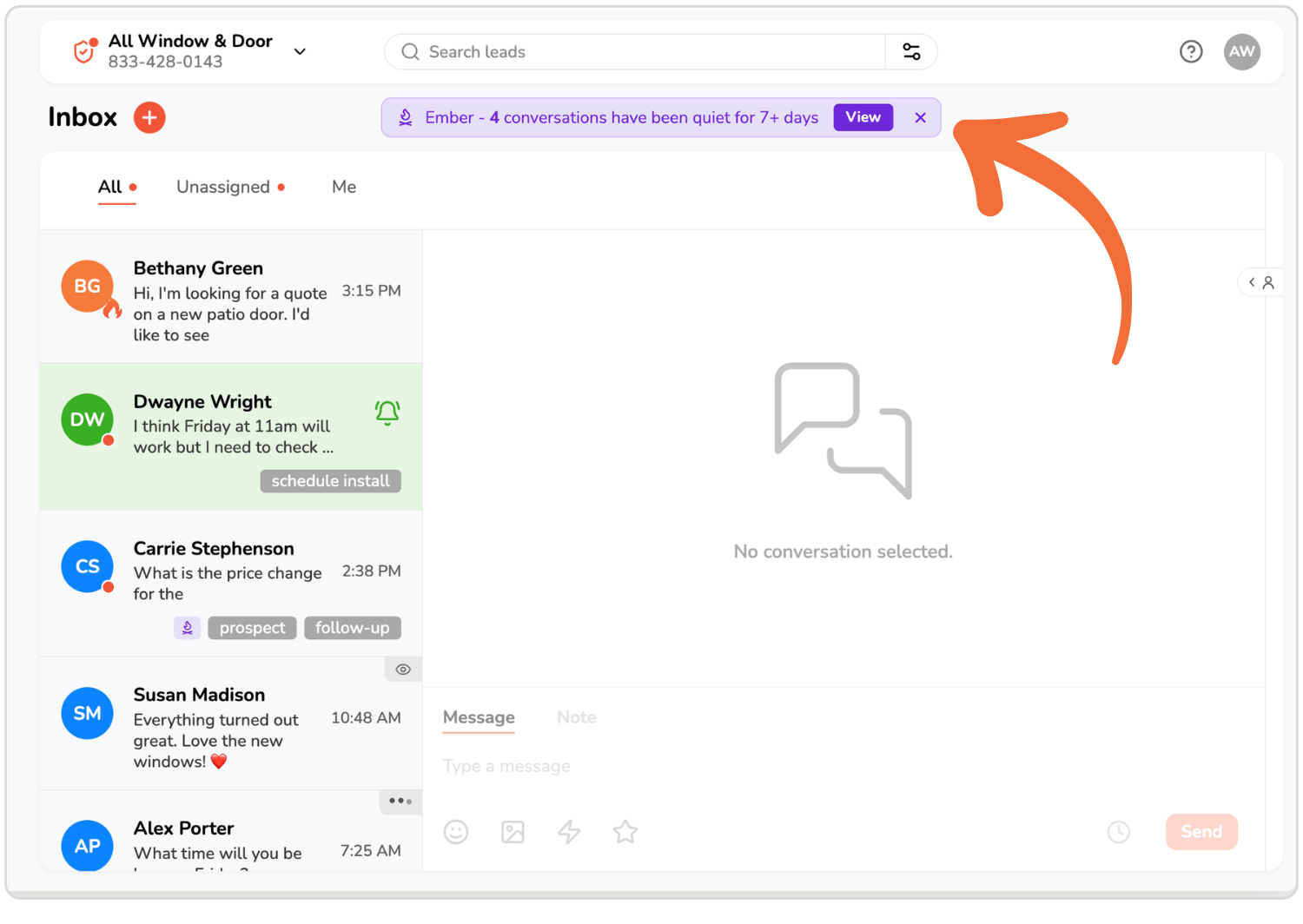
If you use the mobile app on your phone it will deliver you a push notification daily as well.
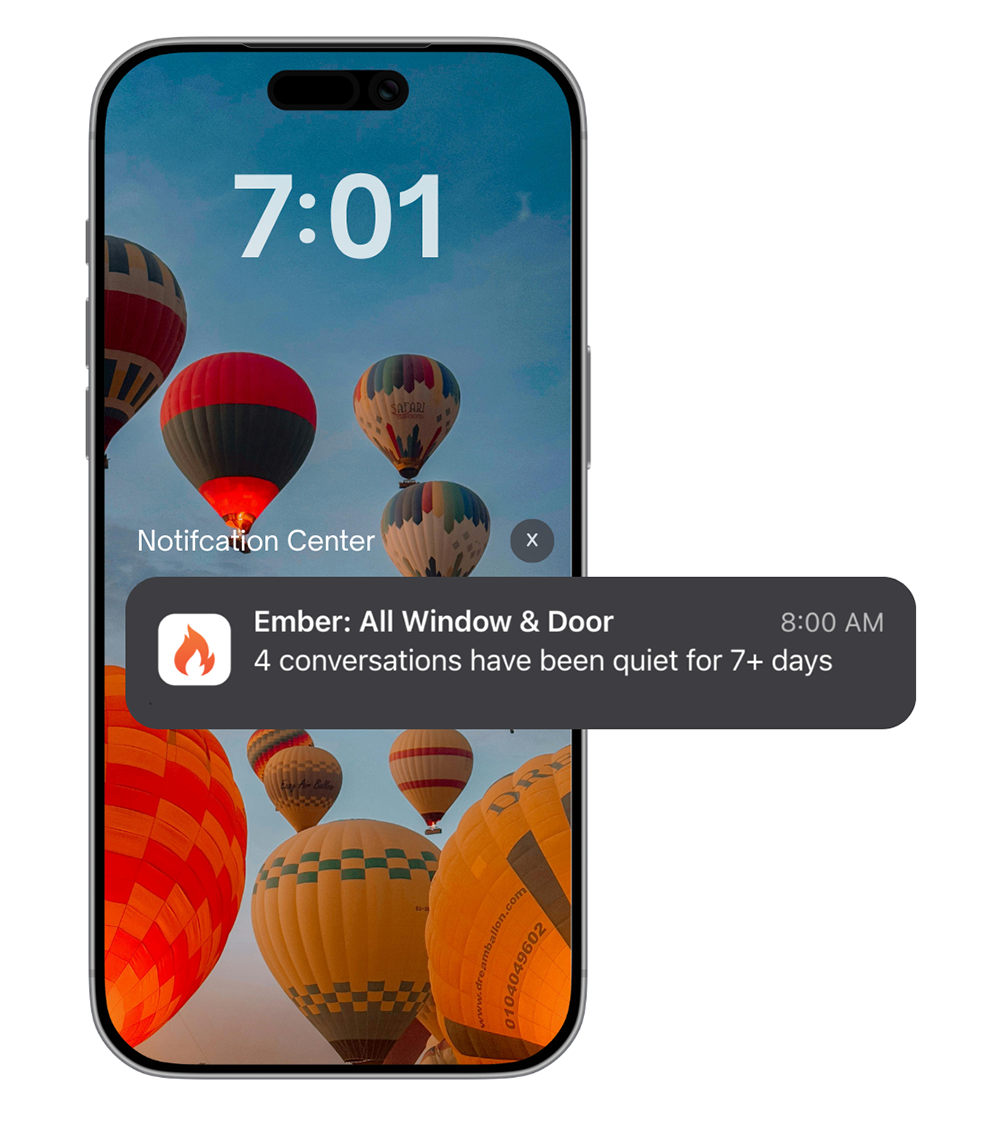
That’s it. One number, once a day. No stream of alerts, no per-thread pings. If the count is zero, you hear nothing.
The notification bar stays put until you deal with it. Tap View and you’re looking at just those Ember threads filtered in the Inbox so you can take action. Or dismiss it with the X and it’s gone until tomorrow, when it comes back with a fresh count.

Either way, you start the day knowing whether you have cleanup to do, instead of finding out four weeks later when a lead has gone cold for good.
Every quiet thread gets a small Ember tag right on its card in the inbox: a purple flame-over-kindling icon in a color used for nothing else. You don’t have to open the Ember list to notice one. Scanning your inbox the way you already do, cold threads stand out.
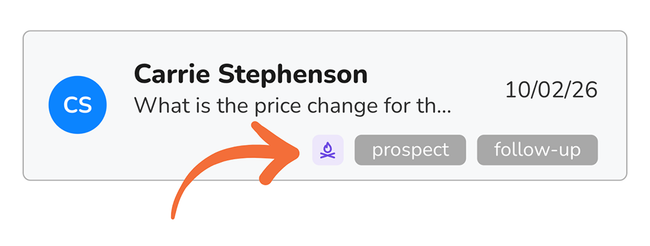
You never apply or remove the Ember tag yourself. Ember adds it when a thread goes quiet and clears it the moment anything happens: you reply, they reply, someone adds a note, the thread changes hands. It’s a live signal, not a label you have to maintain.
When you want to work through your embers in one sitting, filter the inbox to just them. Ember lives in the Filter menu alongside your tags, so it works the way filtering already does, and it combines with your other filters. Show me embers assigned to me. Show me embers that came in by SMS. Show me embers tagged prospect.
The list sorts oldest first, so the thread that’s been waiting longest is at the top. Work down the list, and each reply, reassignment, or close drops the thread out of view. When the list is empty, you’re caught up, and you know it.
A sales team chasing new leads might want to know the moment a conversation has sat for a day. A service team with longer timelines might only care after two weeks. Neither is wrong, and Ember doesn’t make you pick one.
You set how many days of silence turns a thread into an ember, anywhere from 1 to 14 days. It starts at 7 days, and you change it in your profile settings. Tighten it when you’re in a push to close; loosen it when the work is slower and you’d rather not be nagged.
To mange the Ember timing setting, use the upper right account menu (initials circle) and select PROFILES and then click the edit pencil icon to open the Profile modal. You will see the Ember timing setting at the bottom.
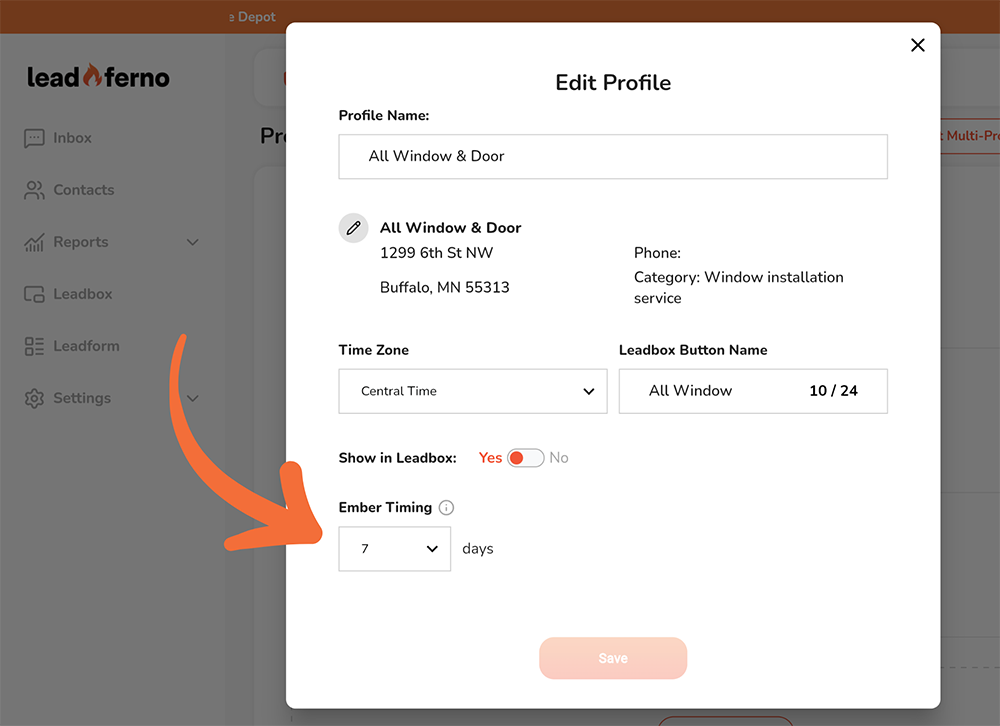
It’s set per profile, too. One account can have a sales profile on a 1-day threshold and a support profile on 14 days, and each sees a list that makes sense for its work. Ember adapts to how you follow up, not the other way around.
The conversations you lose aren’t the loud ones. They’re the ones that went quiet while you were busy being good at everything else. Ember makes sure those threads come back to you before they’re gone for good, in one number each morning, a mark in your inbox, and a list you can clear.
Ember is on by default for every Leadferno profile, set to 7 days. Open your Inbox tomorrow morning and see what’s waiting. Then change the threshold to match how you work.

Get our monthly update covering SMS, messaging, and Leadferno features.
